What's new in Must Read 3.6
Built for iOS 27. Rufus picks your next book from the ones you have finished, Apple Intelligence writes the reason why, and Siri can hand you the same picks out loud.
Update, 10 October 2026: the fox no longer has a name. The Rufus’s Picks shelf is now Must Read Picks, and from Must Read 3.7.1 Ask Rufus is called Ask Must Read. Everything else on this page works the same way.
Ask Rufus
The question every reader has at the end of a book is what to read next. Rufus now answers it from the best possible evidence: your own shelf, the books you rated highly and the genres you keep coming back to.
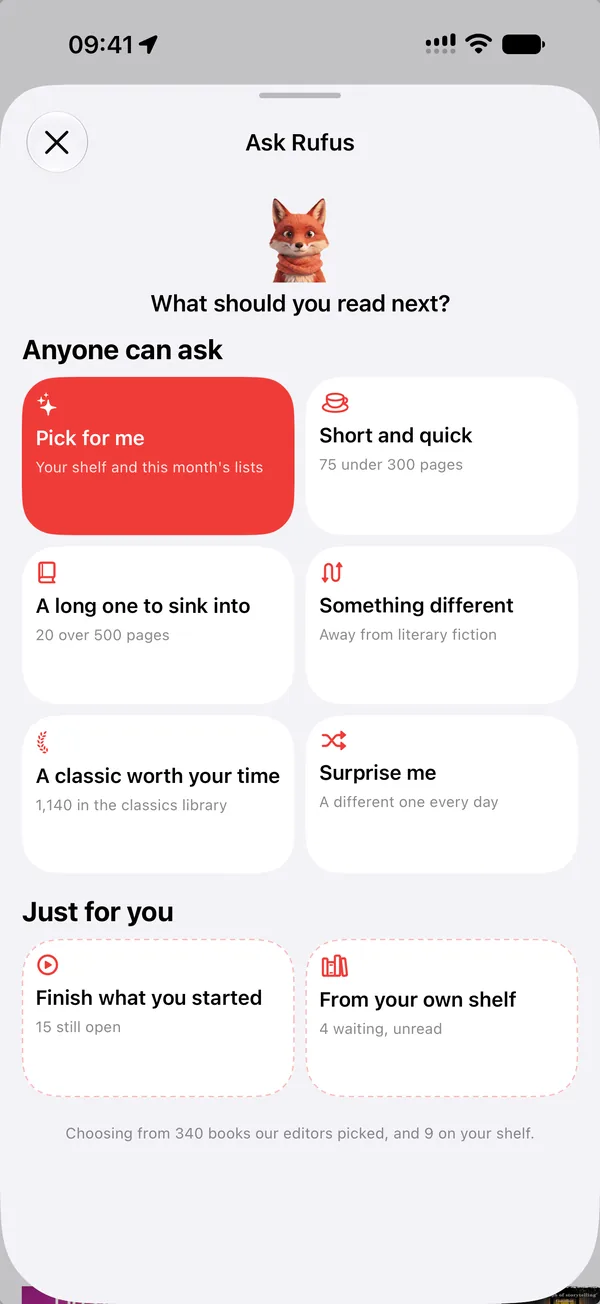
Open the Explore tab and there are six cards. Pick for me, Surprise me, Short and quick, A long one to sink into, A classic worth your time, and Something different. Two more appear once your shelf can fill them. Each card comes back with three books and a line under each saying why, plus one pick deliberately off your usual path.
The choosing happens on your phone, in all 32 languages the app speaks, and no model is involved in it. Rufus is looking at what you have actually read, not at what people like you tend to buy.
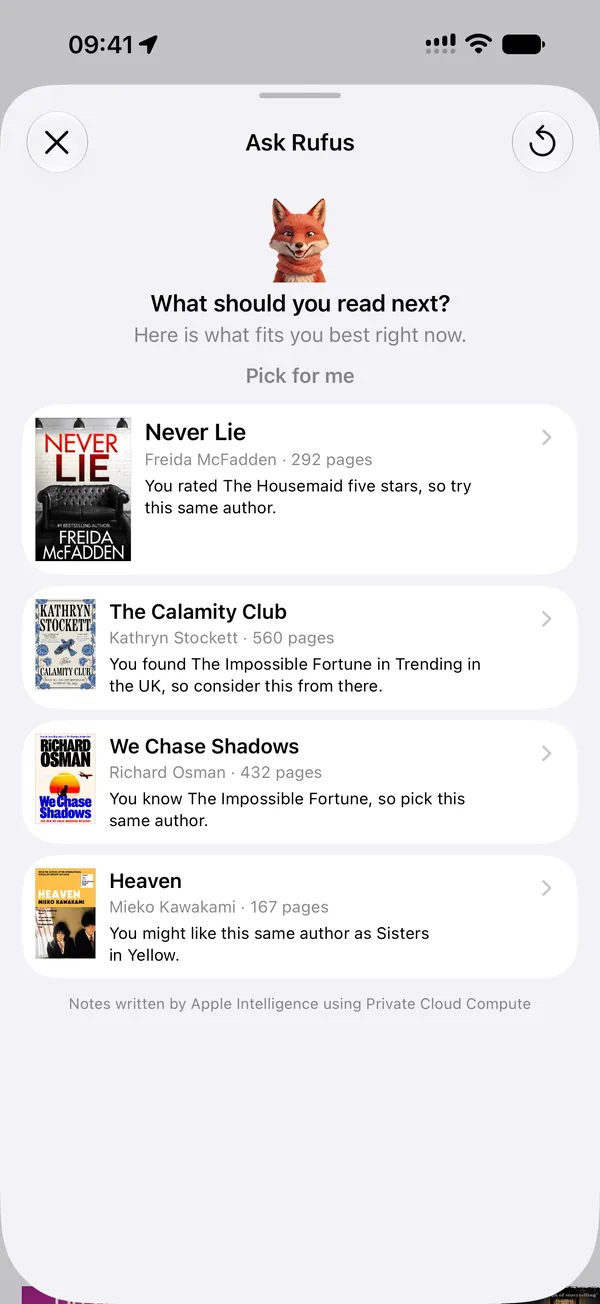
The reasons, written for you
On iOS 27, with Apple Intelligence, the line under each pick is written by Apple's Foundation Models through Private Cloud Compute. It runs on Apple silicon, nothing about your library is stored anywhere, and the notes read noticeably better for it.
On iOS 26 the same notes are written on the device itself. Without Apple Intelligence at all, the reasons are plainer and nothing else changes: the picks are the same picks. A small line under the results always says who wrote the notes, so you are never left guessing.
Siri knows your shelf
Say “Ask Rufus in Must Read” and Siri answers with the same picks, covers included, without the app opening. Ten shortcuts in all, in 40 locales, so you can ask in your own language.
Your library is now indexed for Spotlight. Search a title from the Home Screen and it opens straight in Must Read. On iOS 27, that same index is how Siri can draw on what you are reading, and Siri knows which book is on screen and can answer about it.
A bigger widget, and an app that fits any screen
The new extra-large widget size on iPhone holds a whole shelf of your current books on the Home Screen.
And Must Read now resizes freely on iPad and in iPhone Mirroring on a Mac, in every orientation. Drag the window to whatever shape you like and the app follows. Apple has said this is the groundwork for its next devices, and it is done.
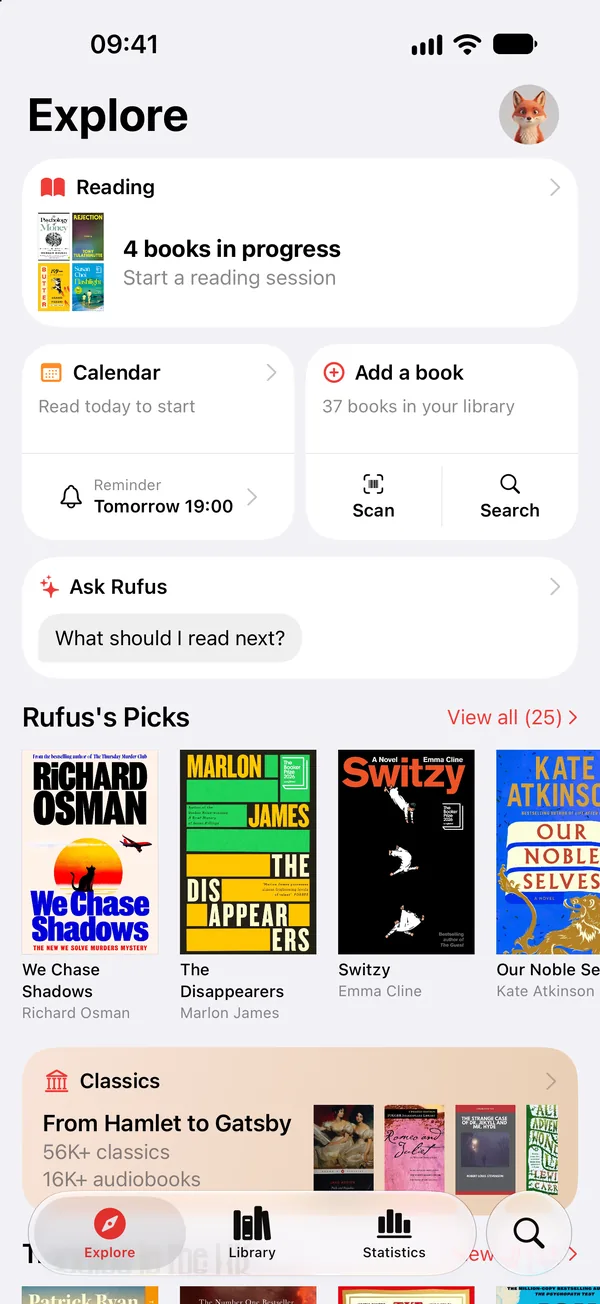
Visual Intelligence opens the book
Point the camera at a cover, or open a photo of one, and pick Must Read. Tapping a result now opens the book itself, even one you have never added. Before, that tap could land on nothing at all.
Matches are better too. The search ignores straplines and publisher names on the cover and asks our catalogue every time, so a brand-new book is found on the first try.
Finishing a book on its last page
A reader wrote to us with a book stuck at page 224 of 224. The timer would not let it be finished, because the app was asking for a page number beyond the last one. That was our mistake, and it is gone.
A book on its final page now shows a green Mark complete button in the reading timer, and you can swipe a row from the left in What to read? to finish it there. Any minutes you type when finishing are kept as a reading session, so nothing you did is lost.
And everything else
One name for Rufus
In eleven languages the app used to call the fox two different things on the same screen. It now calls him one, whichever alphabet you read in.
Shelves for more countries
Readers in Belarus and Kazakhstan get the Russian-language shelves. New Zealand, Liechtenstein, Luxembourg and Monaco get the nearest shelves in their language.
Buy links in Canada
For readers in Canada using French, the links to buy a book were empty. They are back.
Built on Xcode 27
This is the first release built against the iOS 27 SDK, four days before iOS 27 itself. It still runs on iOS 18 and later.
Ready to start reading?
Free with up to 10 books. Pro from $4.99/month or $79.99 lifetime.


iOS 18+ · iPhone, iPad and Apple Watch