What's new in Must Read 3.7
Must Read is ready for iPhone Duo: open it like a book, half-fold it, or keep it closed. The reader keeps your place in view, imports finish even if you leave the app, and you choose what we send you.
Made for iPhone Duo
iPhone Duo goes on sale on 23 October with iOS 27.1, and Must Read already fits every way you hold it: open like a book, half-folded on a table, or closed in your hand.
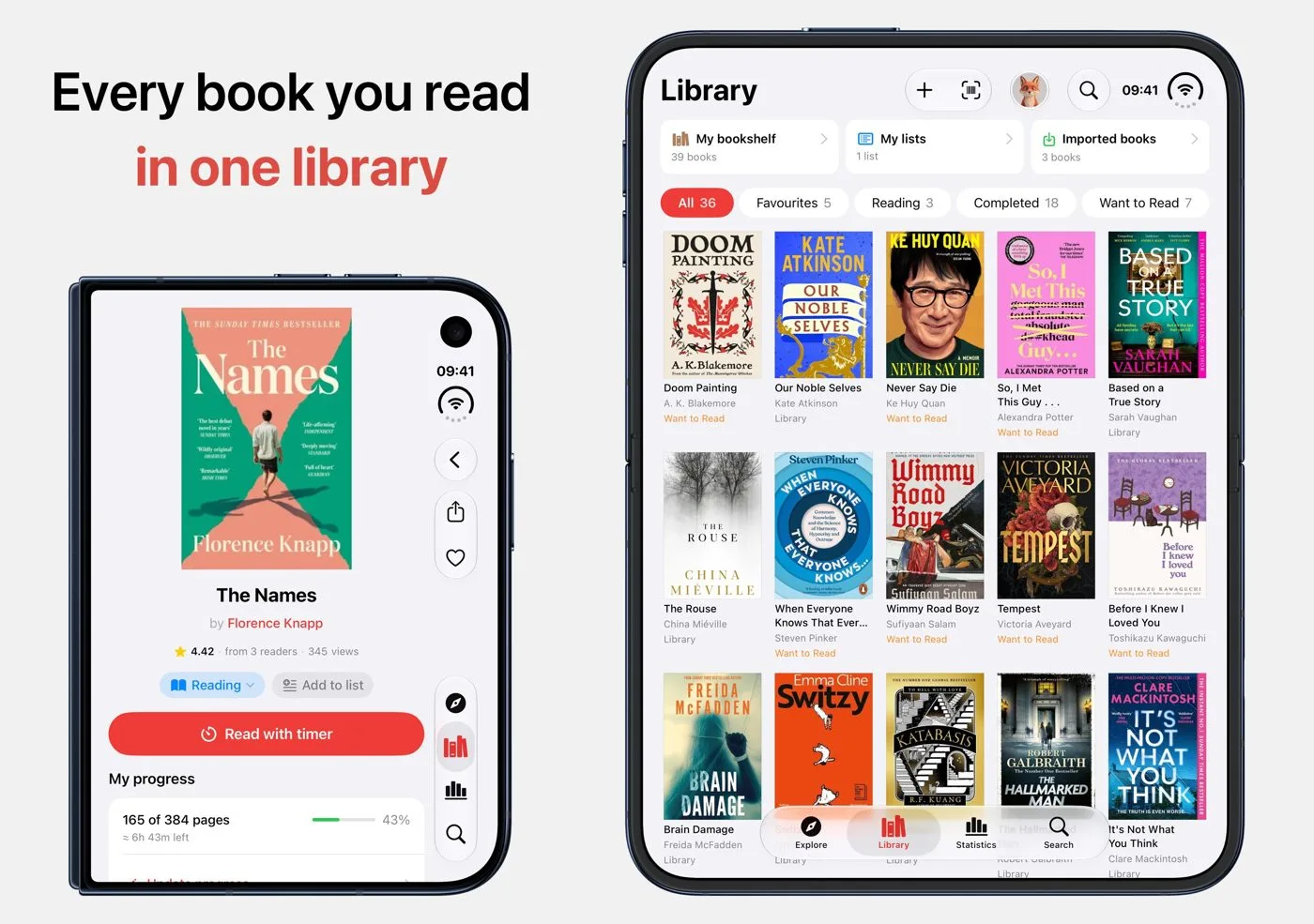
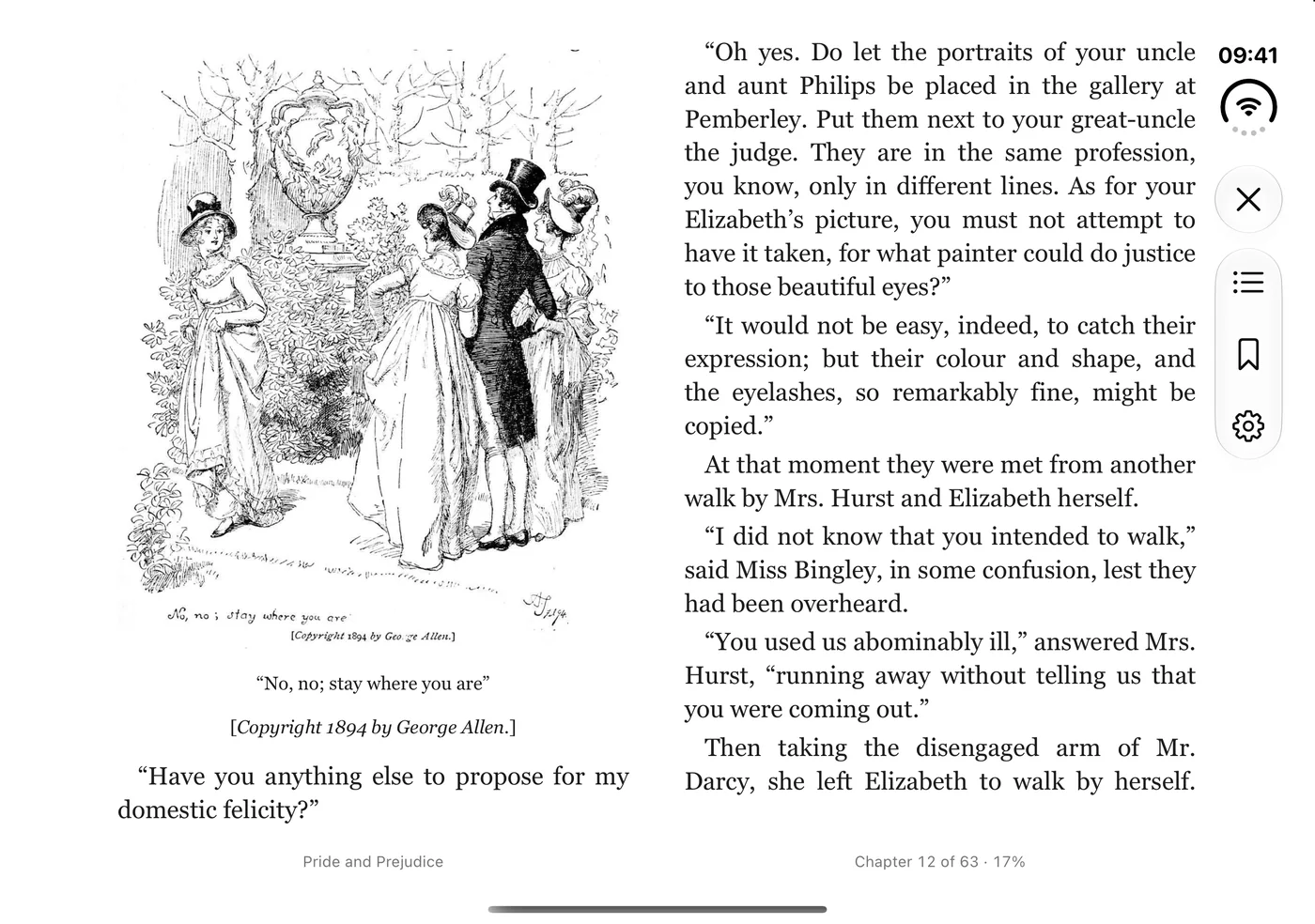
Open: two facing pages
Open a classic and it reads like a printed book, a page on each side of the fold, illustrations and all. The contents, bookmark and settings buttons sit in a slim rail at the edge, so the pages keep the screen.
Half-folded: cover above, controls below
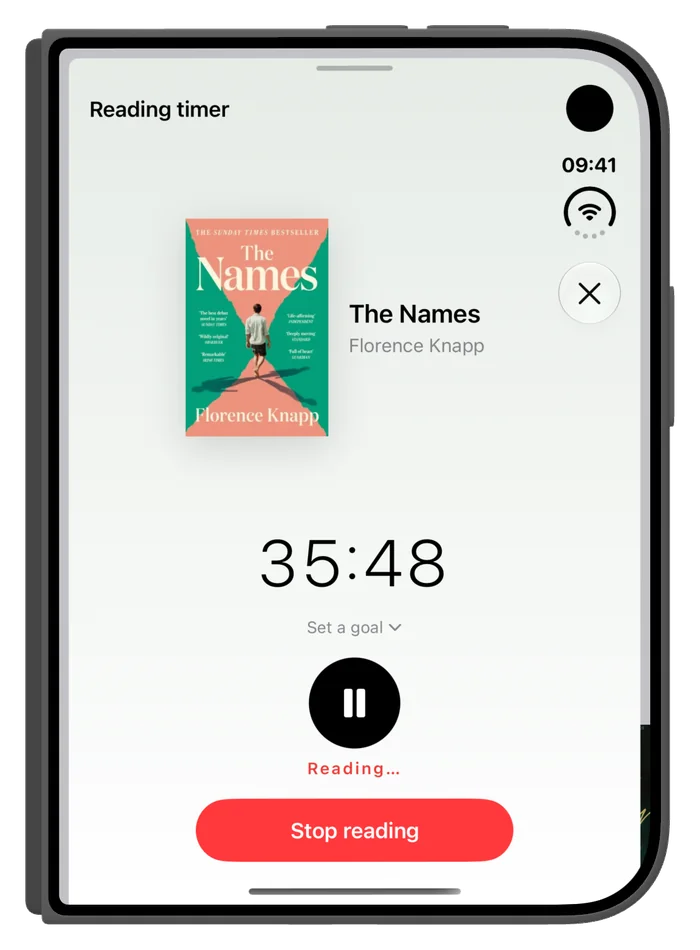
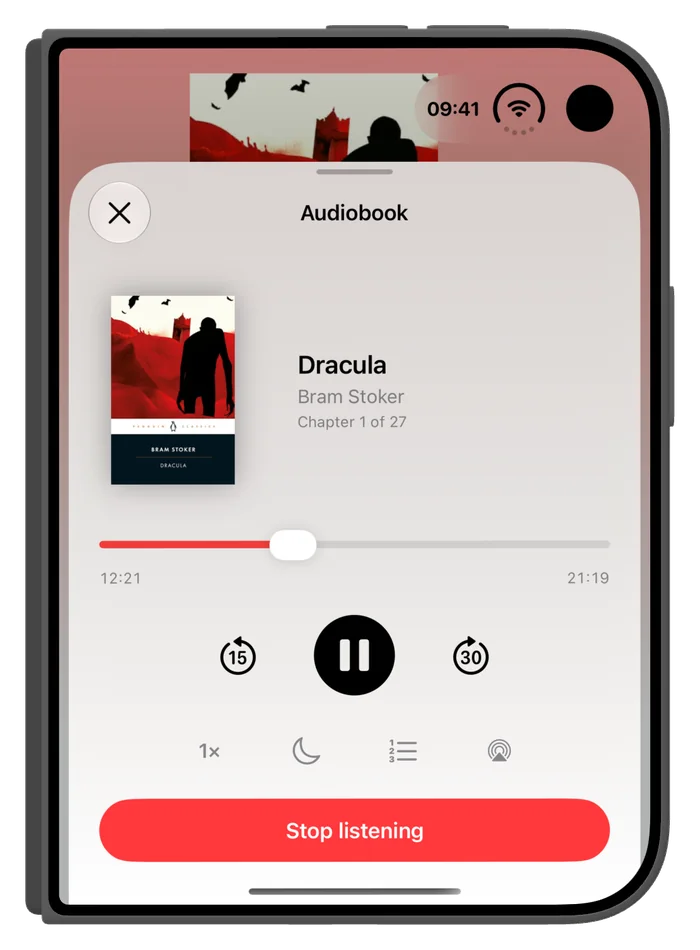
Stand the phone half-folded on a table. The book's cover sits on the upright half, and the timer, or the audiobook player, sits on the flat half under your thumb.
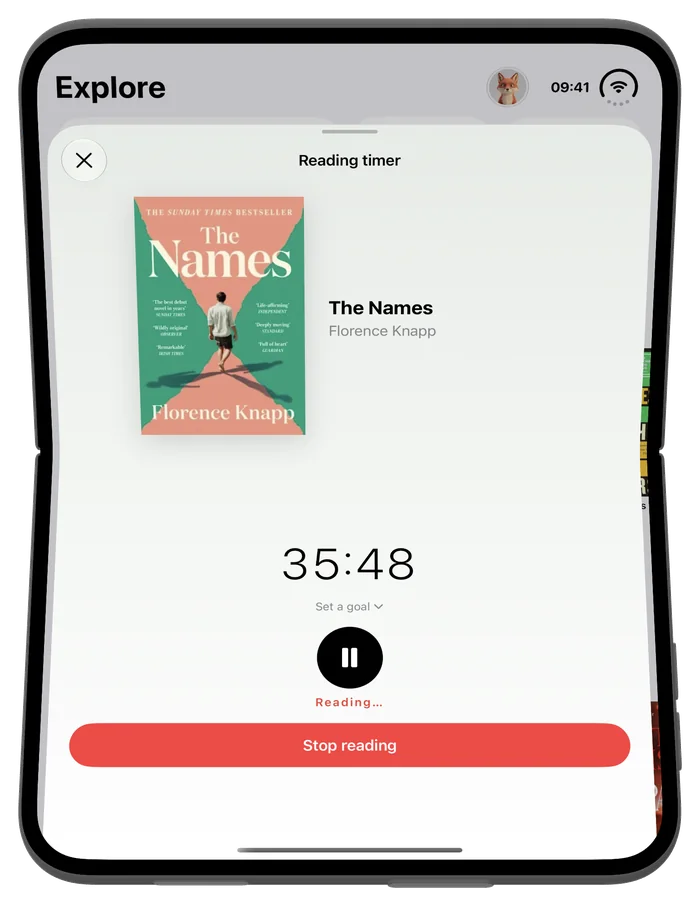
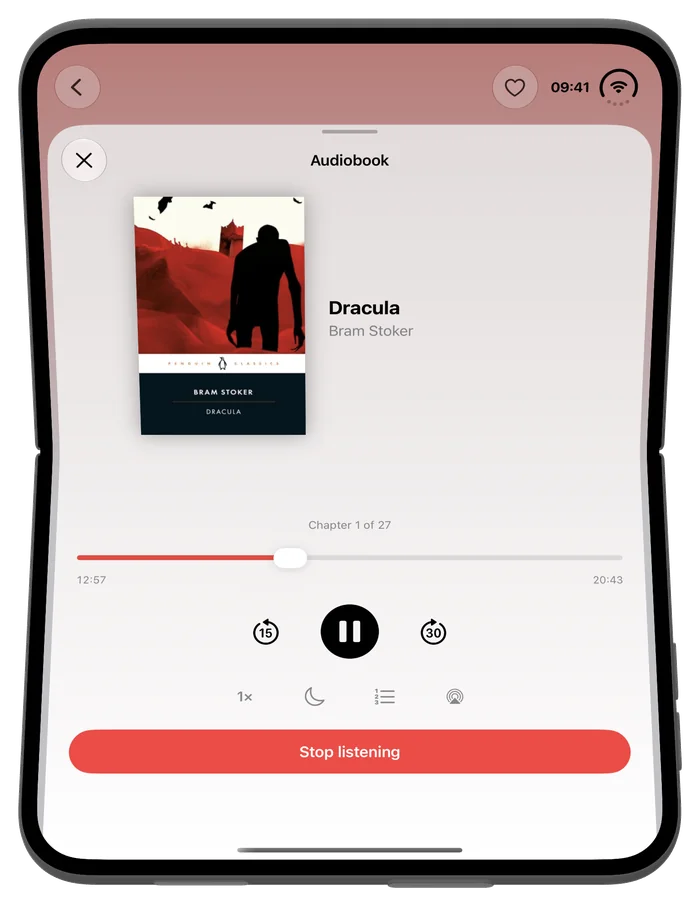
Closed: the outer display
Fold it shut and the timer and the player still fit the outer display, so a session keeps going without opening the phone.
Your reading calendar, on the right-hand page
In Statistics, tap a day in the reading calendar. The month stays on the left, and that day's sessions and milestones open on the right.
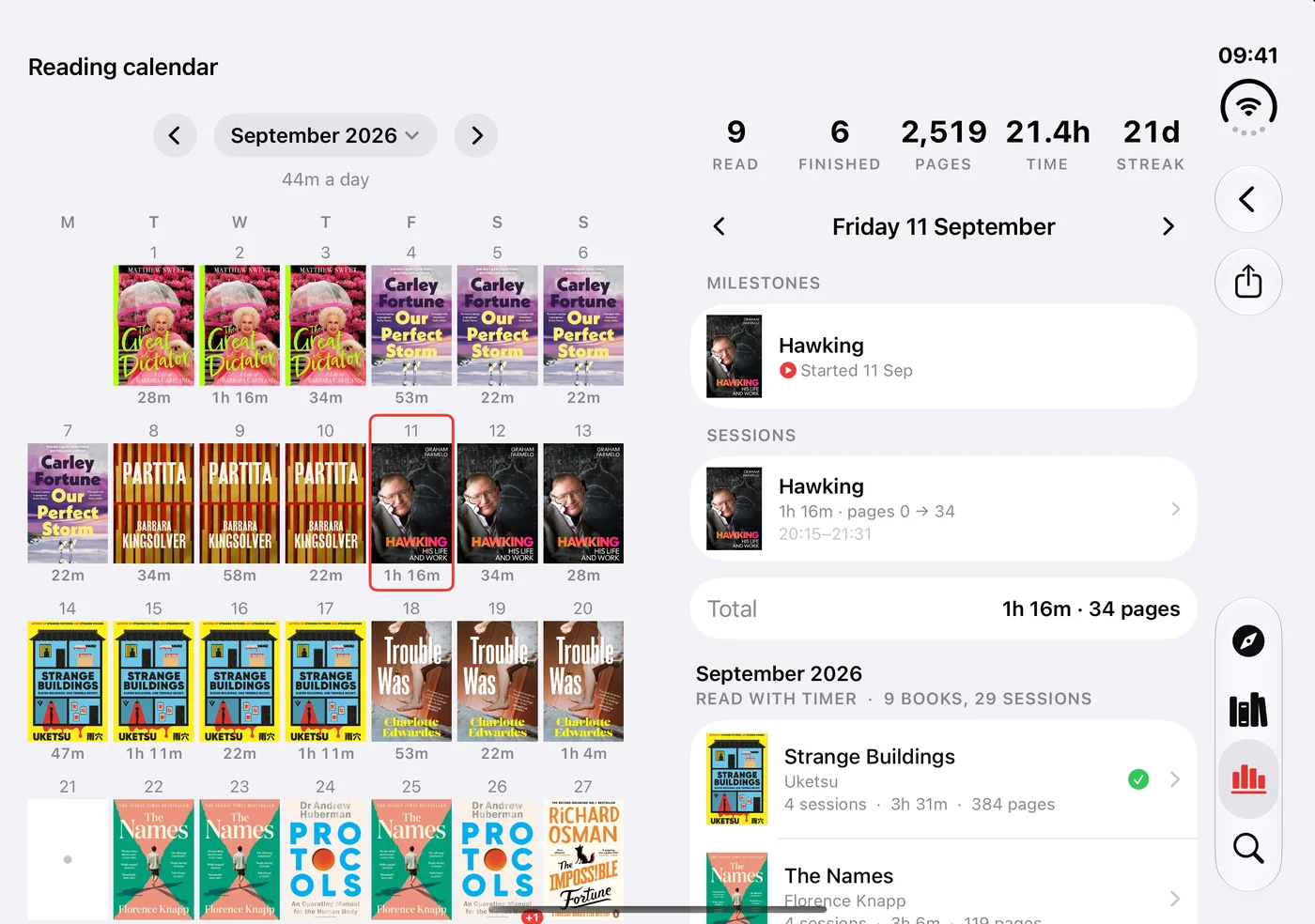
Everything else lays out for both halves of the screen too: Library, Explore, Statistics, Search, lists and imports.
A reader that keeps your place in view
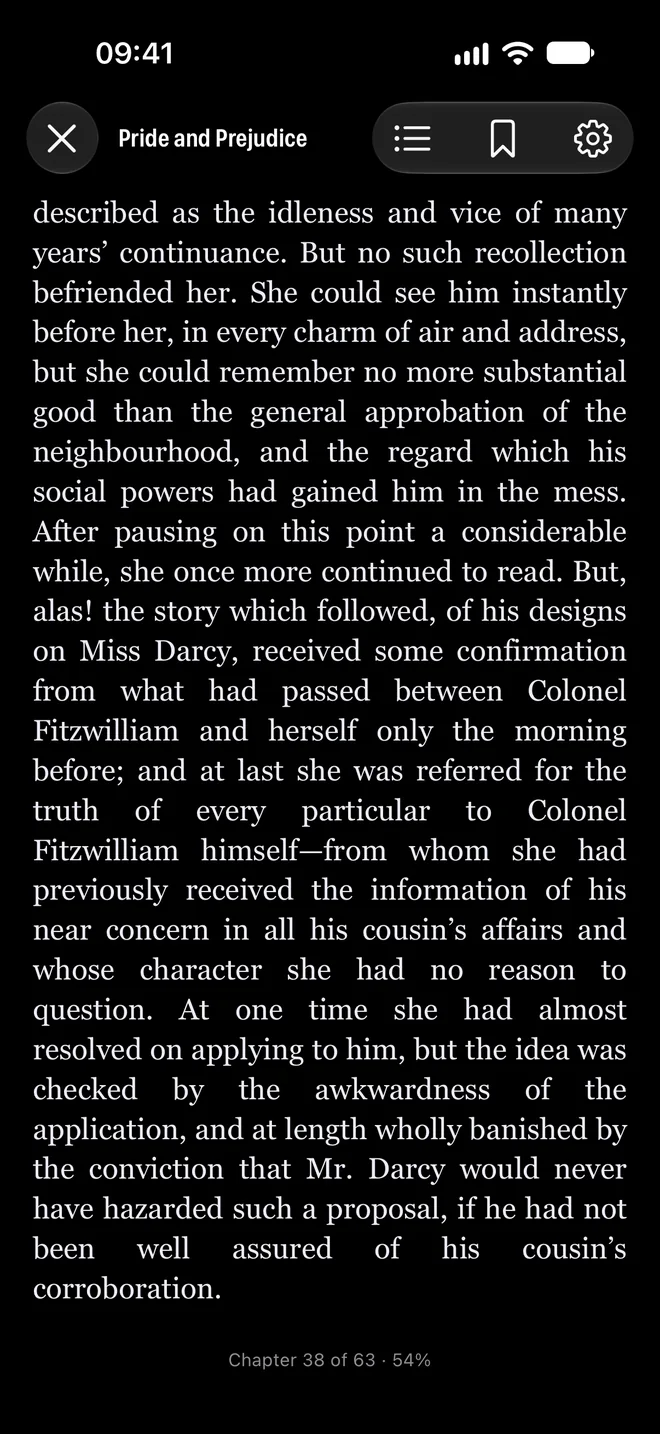
On iPhone and iPad the reader now has a standard top bar that stays put: close, the book's title, and buttons for contents, bookmarks and settings.
The bottom line always shows where you are, for example Chapter 38 of 63 · 54%. And the page follows your phone's appearance: switch to Dark and the book turns dark with it.
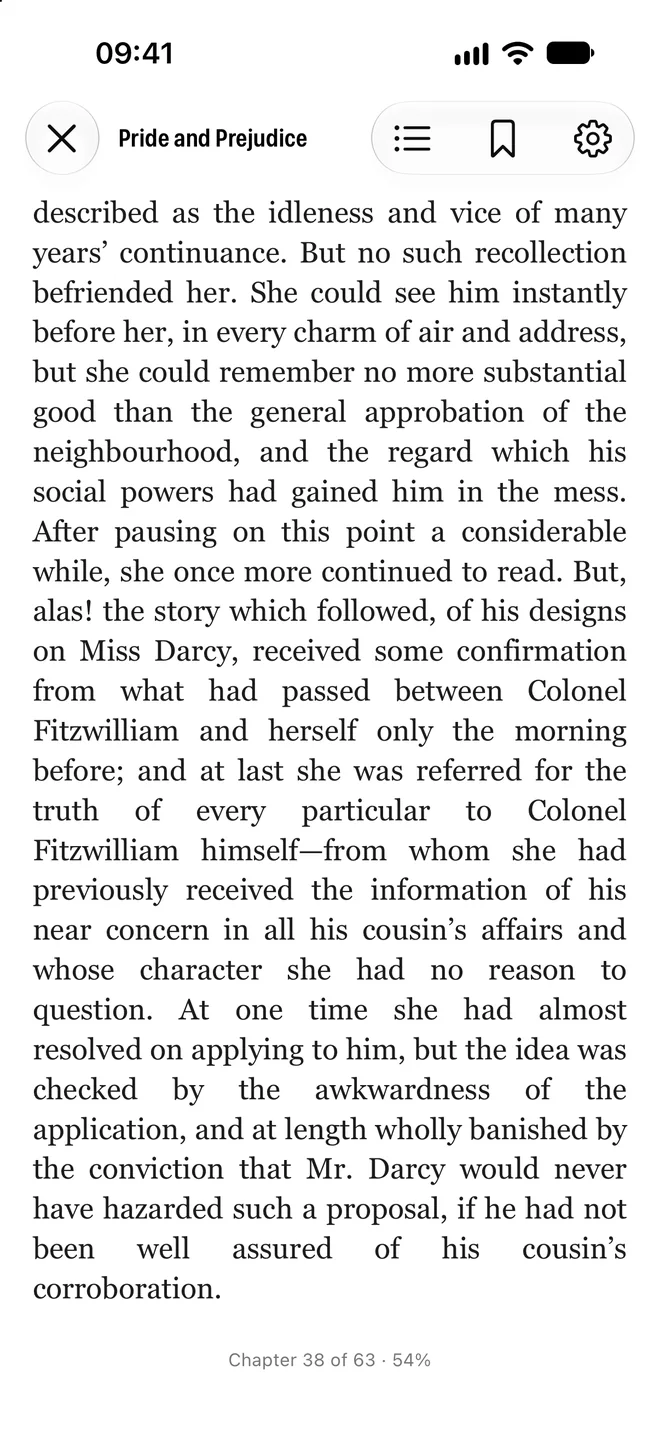
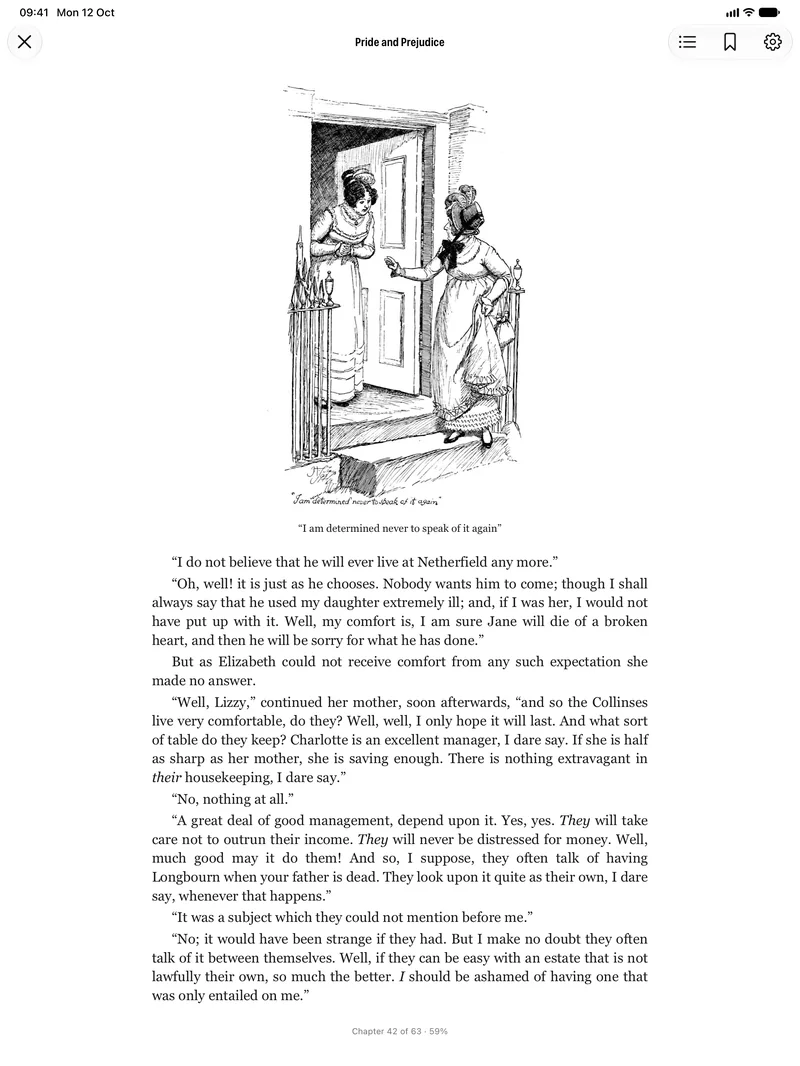
On iPad in portrait, the book reads in one comfortable column.
Imports that finish
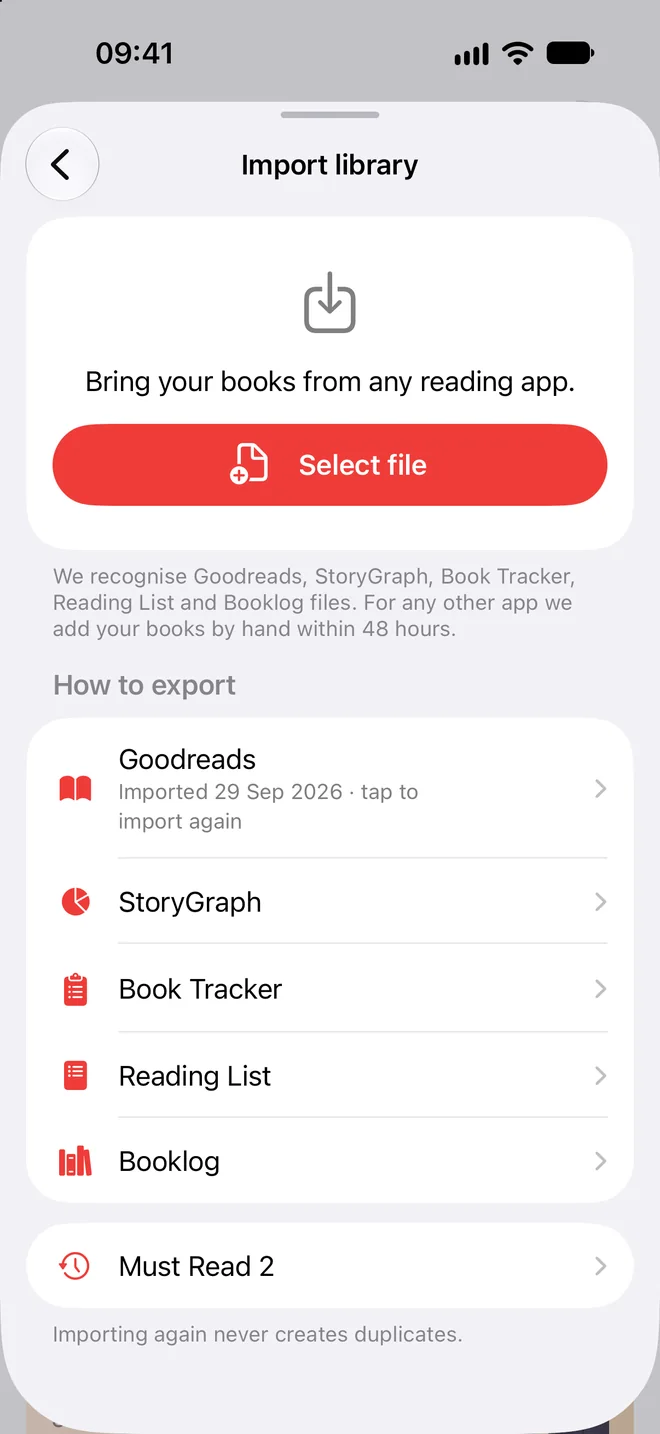
A large import finishes, even if you leave the app. If the app closes halfway through, the import picks up again the next time you open Must Read.
More files come in. Files that use semicolons or tabs instead of commas now import, and so do files saved with an invisible byte-order mark at the start.
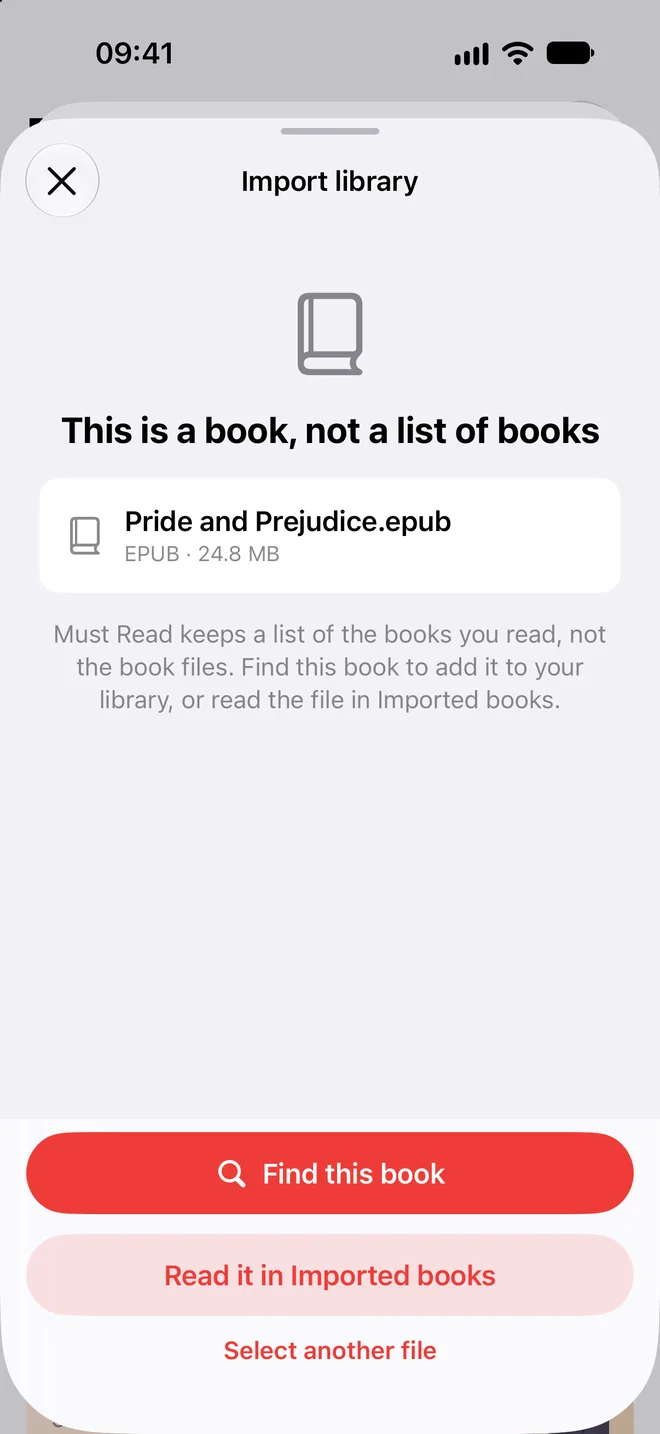
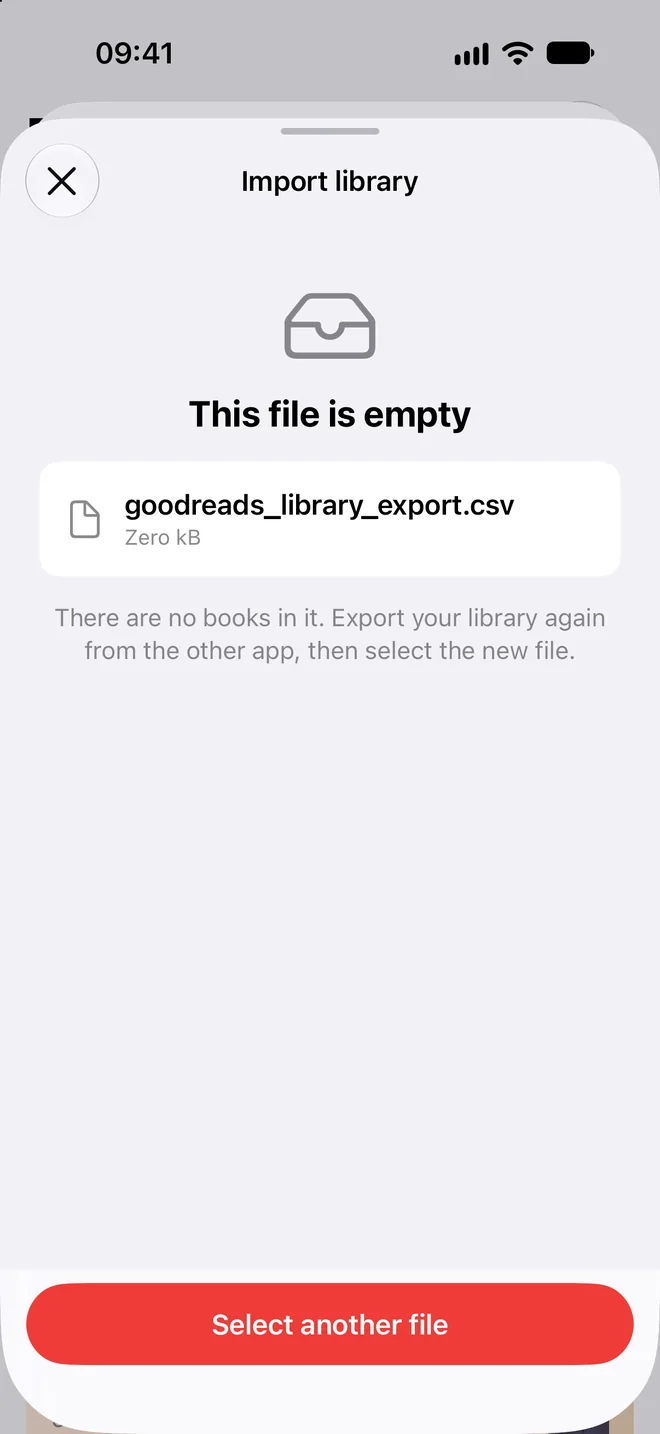
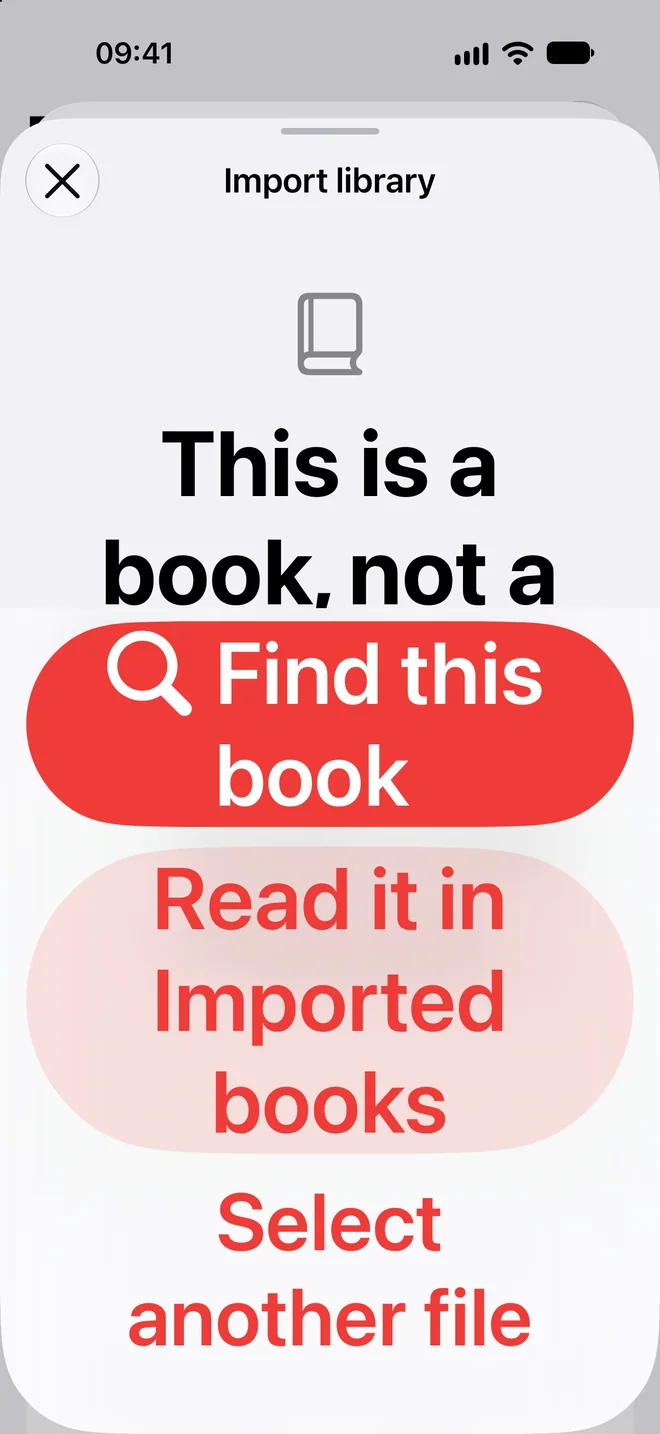
A book is not a list of books. Pick a PDF or an EPUB in Import library and Must Read tells you so, then offers to find that book or to open it in Imported books to read. An empty file says so too, instead of importing nothing.
Your goal alert, even in a Focus
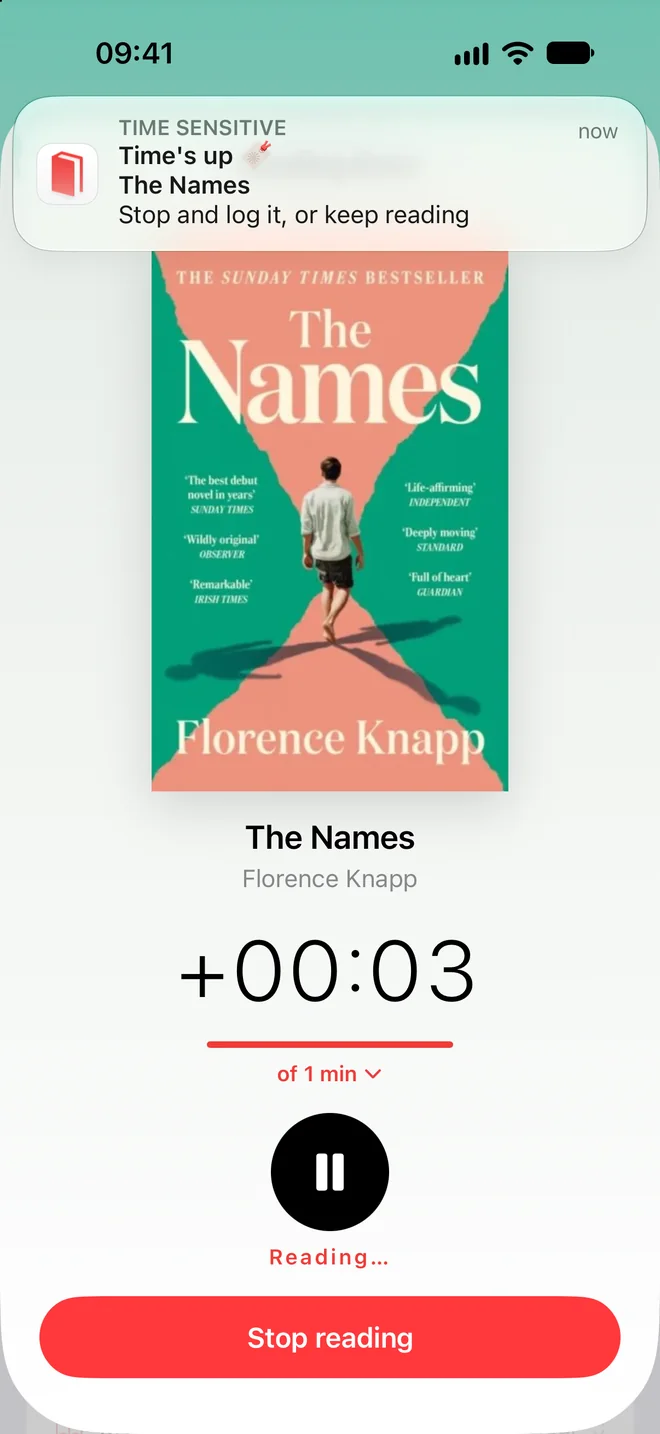
Set a reading goal on the timer, and the Time's up alert now reaches you during a Focus, so you know when you've hit your minutes. It is the only alert Must Read sends as Time Sensitive.
Notifications off? One tap
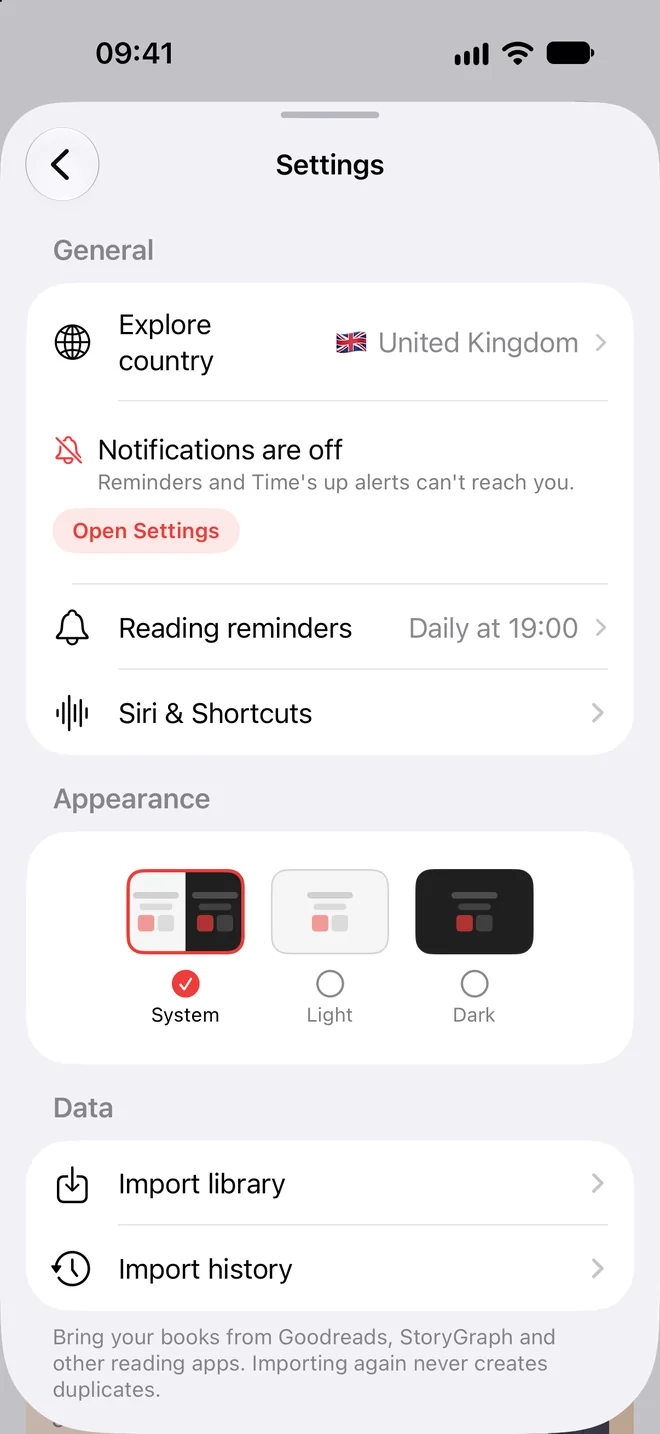
If notifications are turned off for Must Read, Settings now says Notifications are off, explains that reminders and Time's up alerts can't reach you, and opens the right page in iOS Settings with one tap.
You choose what we send
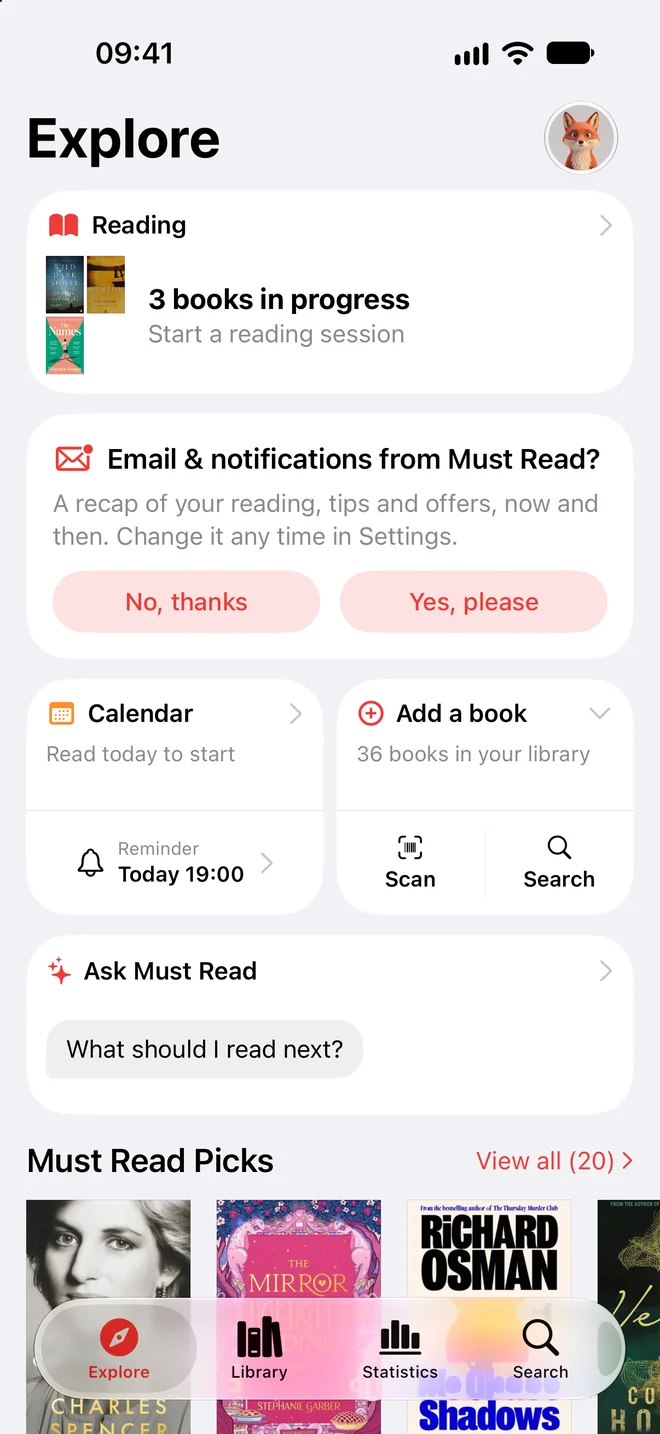
Must Read now asks you once, on Explore, whether you'd like a recap of your reading, tips and offers now and then. No, thanks is as easy as Yes, please.
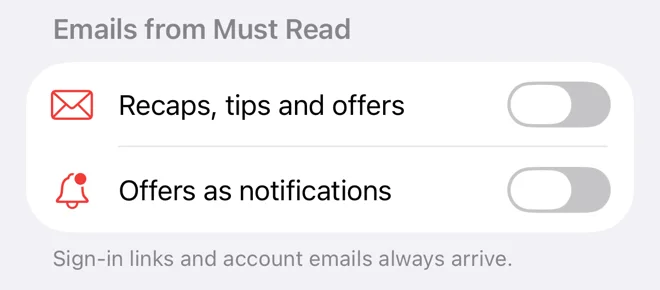
Change your mind any time in Settings, under Emails from Must Read. Sign-in links and account emails always arrive.
Larger text, buttons that grow
With the largest accessibility text sizes, buttons now grow and wrap their words instead of cutting them off.
Search on iPad
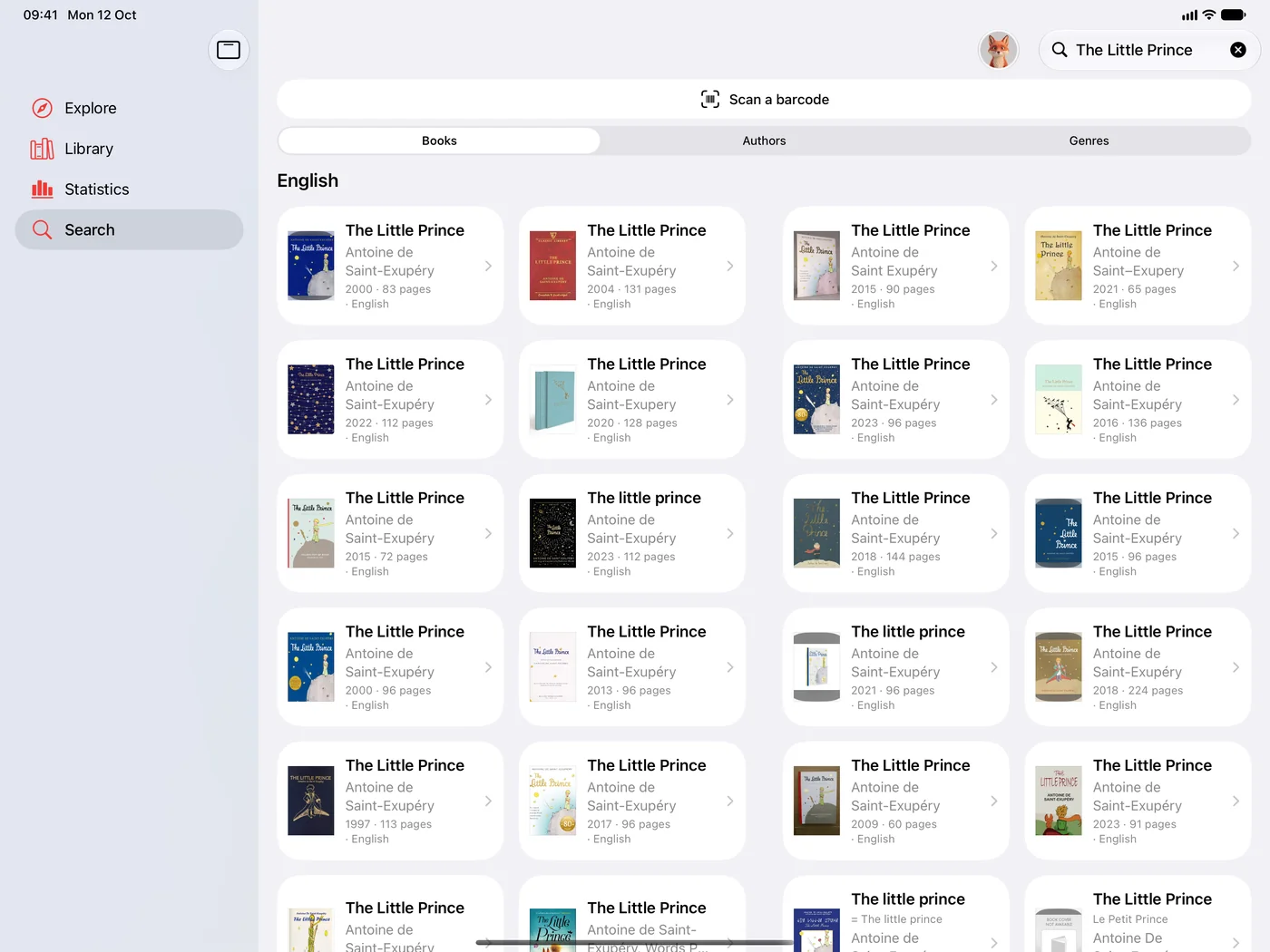
On iPad in full screen, search results show as a grid of covers, so you can tell the editions apart at a glance.
Thank you to every reader who wrote in. Something missing? Tap Contact us in your Profile.
Ready to start reading?
Free with up to 10 books. Pro from $4.99/month or $79.99 lifetime.


iOS 18+ · iPhone, iPad and Apple Watch