What's new in Must Read 3.7.3
Must Read 3.7.3 is the fourth and final update for the iPhone Duo launch on 23 October. It finishes the work for Duo, turns your books into 3D objects you can spin, share and place in your room, and lets you set how long you read before you save.
Ready for iPhone Duo
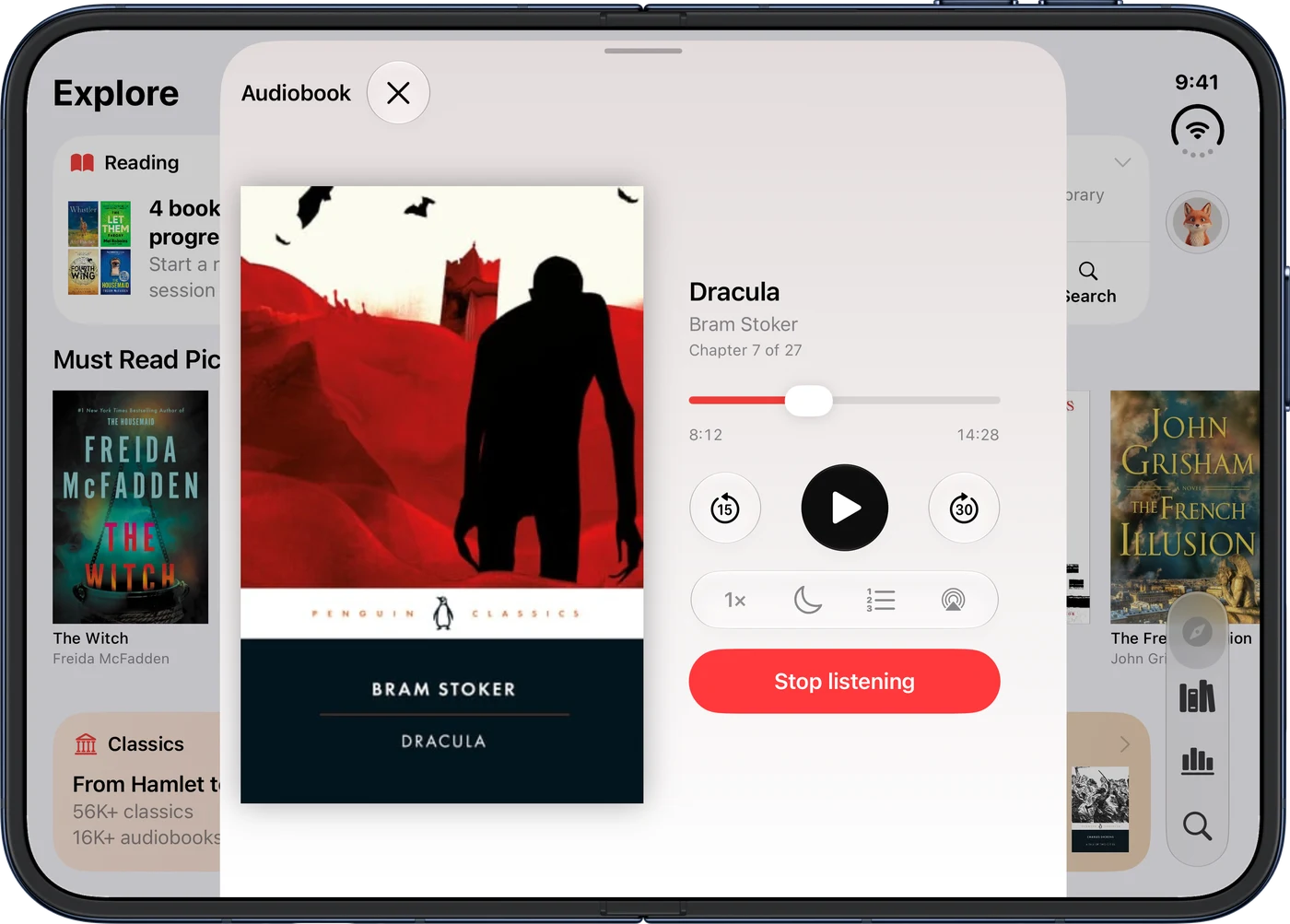
Must Read fits iPhone Duo however you hold it. Turn it sideways and the audiobook player and the reading timer put the book on one side and the controls on the other, so the cover stays in view while you listen or read.
Open it up and the first screens of the app spread across the two halves, with nothing sitting on the fold.
Your books in 3D
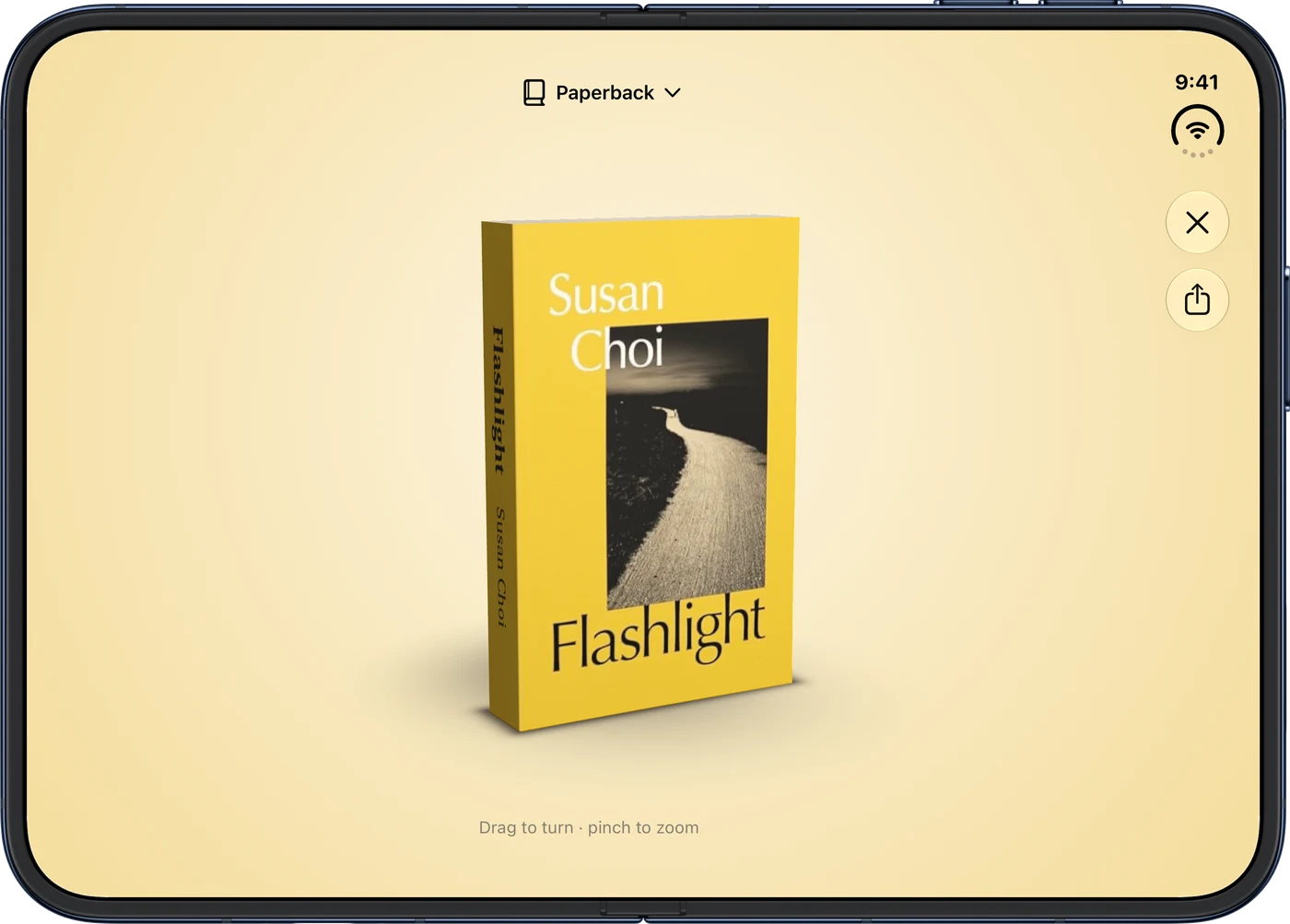
On a book's page, tap the 3D button and the cover becomes a book you can turn in your hands. Drag to spin it, pinch to look closer, and pick Hardcover or Paperback at the top.
Audiobooks come as a case and e-books as an e-reader. Classics get 3D too. Share an image of it with a friend, or, on devices that support it, tap View in your room to see it at real size on your table.
Set how long you read, before you save
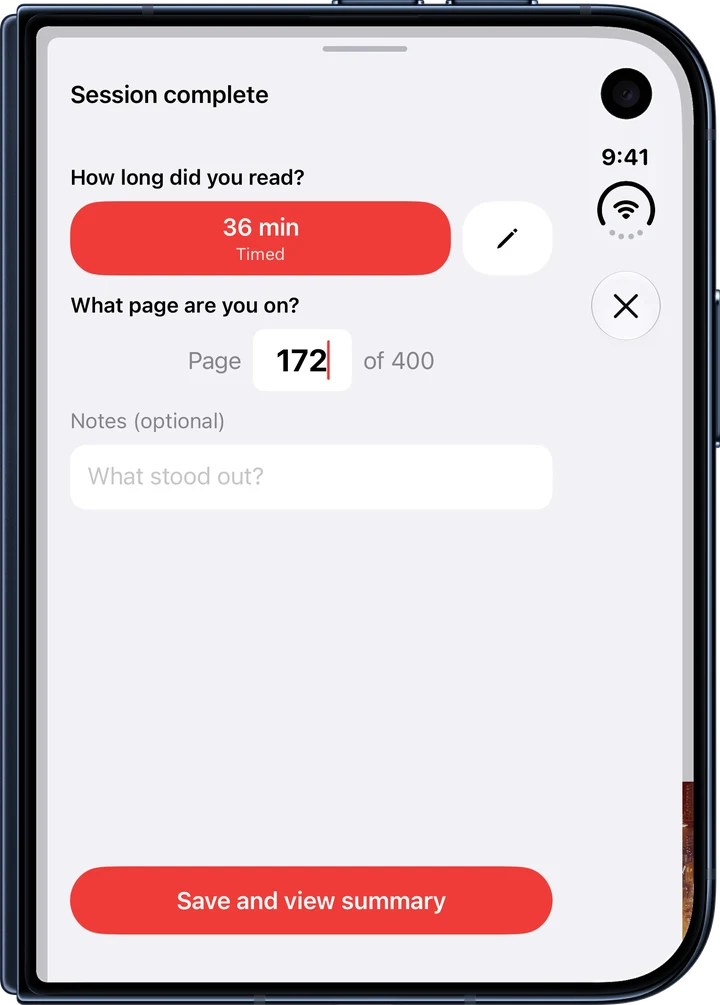
When you stop the timer, Must Read now asks how long you read. Keep the time you timed, or tap the pencil to enter your own, handy when you forgot to pause.
Ran well past your goal? You can pick the goal instead.
Audiobooks and the reader
If you set an audiobook to time, your place has already moved on by the length of the session when you stop, so Save is all it takes.
In the reader, Contents marks the chapter you're in, and the reader no longer gets stuck after you rotate.
And everything else
Share a classic
Every classic now has Share on its page, like any other book.
Moving to a new iPhone
If your books came over but your sign-in didn't, Library now says Your books are saved, with one Sign in button that brings everything back.
Restore purchases
Restore no longer waits forever on a weak connection.
Contact us
Contact us in your Profile now fills in your app version and device, so we can help faster.
Something missing? Tap Contact us in your Profile.
Ready to start reading?
Free with up to 10 books. Pro from $4.99/month or $79.99 lifetime.


iOS 18+ · iPhone, iPad and Apple Watch