How to time your reading sessions
Timing your reading sounds obsessive until you try it once. A timer turns "I read a bit last night" into pages per hour, real session lengths and a finish date you can predict.
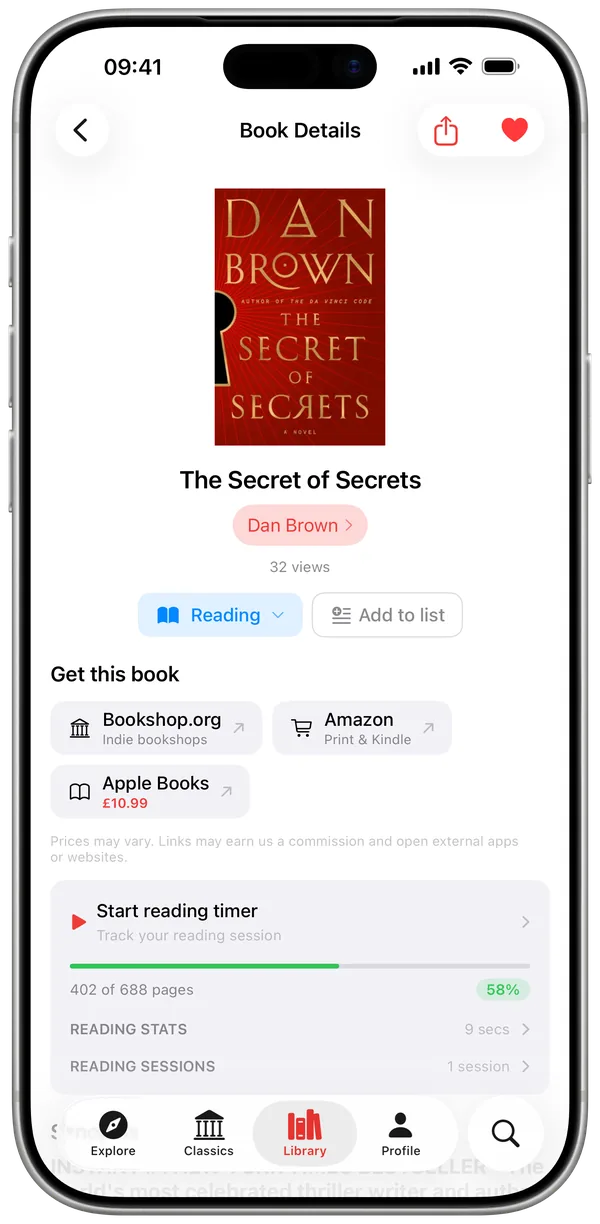
What the timer measures
Each session records how long you read, which pages you covered and your reading speed. Over weeks that becomes your honest average – most readers discover their "hour a day" is 25 minutes, and fix it.
Start a session
Open the book in Must Read, tap the timer, put the phone down. With Live Activity the running timer sits on your Lock Screen and Dynamic Island – no unlocking to check it, no timer buried in an app. When you stop, enter the page you reached and the session is logged.
Give the session a goal
A session can carry a target: 15, 30 or 60 minutes, or a length you set yourself, and you can change it halfway through without losing the session. It counts down on the Lock Screen, in the Dynamic Island and on your Apple Watch, so you never open the app to check. Reaching the goal does not stop the timer – it tells you, then keeps counting for as long as you keep reading.
What you get after a week
Session history per book, pages per hour, and a realistic answer to "will I finish this before book club". The timer also feeds your streaks and daily goal, so time spent reading shows up everywhere it should.
Free and Pro
The timer is free on 1 book – enough to try the habit. Pro removes the limit and times every book in your library.
Quick answers
Does the timer work with paper books?
Yes – the timer is about your session, not the format. Time your paperback, then log the page you stopped on.
Will the Live Activity drain my battery?
Live Activities are a native iOS feature designed for exactly this – a glanceable, low-power Lock Screen display.
What happens when I hit my session goal?
The timer tells you and then carries on counting. A goal is a target, not a cut-off, so a good reading session is never interrupted by the app that is measuring it.

Find out what you really read per hour
- Free for your first 10 books
- Reading timer & Live Activity
- Stats, goals & streaks