How to read your own EPUB files on iPhone
If you own EPUB files – bought DRM-free, downloaded from public archives, or written by a friend – your iPhone can be a very good reader for them. Here is the clean way to do it.
Getting EPUBs in
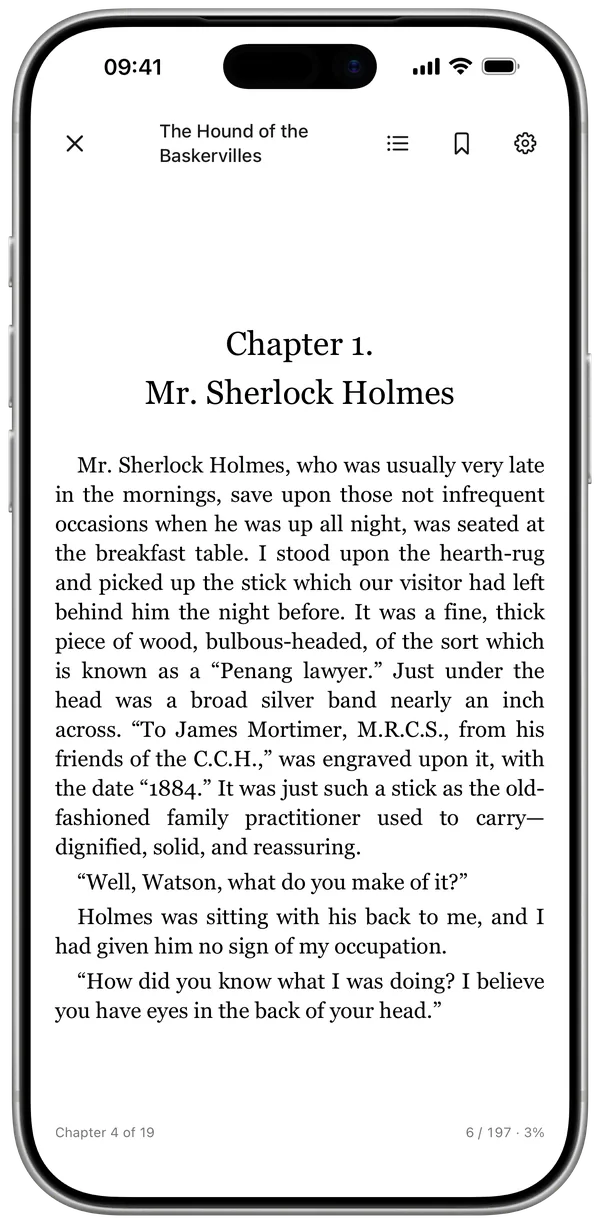
Import from the Files app, receive one over AirDrop, or open an EPUB from any other app and hand it to Must Read. Cover art, title and author are extracted automatically – no manual data entry.
Reading them
Your EPUBs open in the same built-in reader as the classics library: adjustable fonts, themes, bookmarks, and your position saved across sessions. An imported EPUB behaves like any book in your library – status, rating, notes, stats.
No account needed
EPUB import and reading work without signing in. An account adds sync, but your files and progress live on your device either way.
EPUBs and everything else
The quiet win is unification: your paper books, your EPUBs, the classics and your audiobooks all feed one library, one set of stats, one reading history.
Quick answers
Does it handle DRM-protected EPUBs?
No – like every third-party reader, Must Read reads DRM-free EPUB files only.
Is EPUB import free?
Importing and reading your own EPUBs works on the free tier, within your 10-book library limit.
That folder of EPUBs deserves a real reader
- Free for your first 10 books
- Reading timer & Live Activity
- Stats, goals & streaks